Binary Numbers
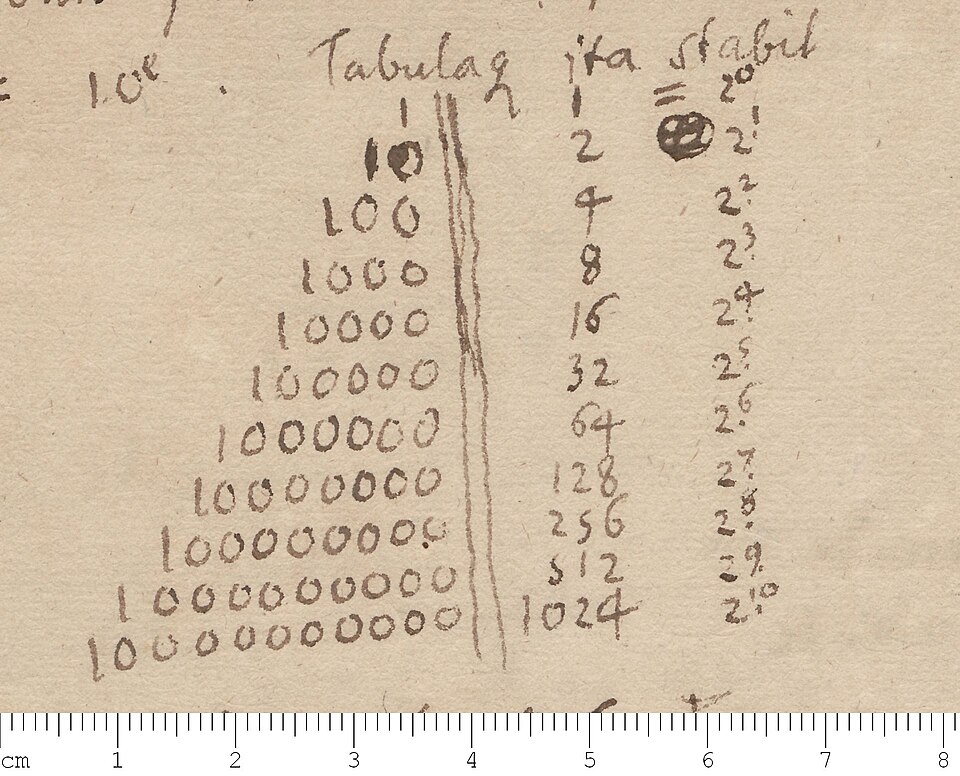

The binary numeral system is a way to write numbers using only two digits: 0 and 1. Because binary only has two digits, it is a base 2 number system.
Computers work in binary, because it is the simplest way to store information using electricity. A wire can be powered on to represent a 1, or powered off to represent a 0. Large sets of binary numbers can be used by computers to represent other types of information, such as text, songs, or videos.
Counting in binary
When thinking about binary numbers, it helps to go back and think about how decimal numbers work. A single-digit number can only go from 0 to 9, so another digit is added that counts tens instead of ones. Then another digit is added that counts hundreds, and another that counts thousands, and so on. Each digit’s place value is ten times the last digit.
Binary follows the same idea. Each digit can only have two values, so each digit’s place value is two times the last digit.
For example, let’s look at the binary number 10110011. The place values that have a 1 are 1, 2, 16, 32, 128. Adding up all those place values gives us 179, so 10110011 in binary is 179 in decimal.
For convenience, binary digits (bits, for short) are usually grouped together in two groups of 4 bits. This is 8 bits, or a byte, and is written using the hexadecimal numeral system. This would be shown as 1011 0011 = B3.
Binary math
The four basic math operations are addition, subtraction, multiplication and division.
Addition
Addition in binary can be done like decimal: going from the smallest digit to the biggest, carrying if needed.
Long carry method
The long carry method is a different way of adding binary numbers. It can be faster than the usual method if one of the numbers has many ones in a row.
Adding 1 to a row of 1s results in 1 followed by the same number of 0s. For example, 1111 + 1 = 10000. The long carry method takes advantage of this fact to make addition faster.
Long Carry Method
11110011
- 10010101
Highlight every time a 1 is added to a row of 1s
00
- 100010
Treat the rows of 1s as rows of 0s
00
- 100010
Carry the 1s to the next 0s that aren’t highlighted
long carry 00
- 100010 110001000 final result
Subtraction
Subtraction can also be done like decimal: starting from the leftmost digit to the one’s digit, borrowing whenever needed.
There is also an different method that can be faster, called the two’s complement method.
Two’s complement method
- If the subtrahend has less digits than the minuend, add leading zeroes until they have equal digits.
- Flip every digit in the subtrahend. If a digit is a 1, turn it into a 0, and vice versa.
- Add 1 to the subtrahend.
- The subtraction problem is now an addition problem. Add the two numbers together.
- Remove any carry digits from the result. For example, let’s do 1101 - 11 using this method.
- 11 has less digits than 1101, so we have to add leading zeroes. 11 becomes 0011.
- Flip every bit in 0011. The result is 1100.
- Add 1 to 1100. The result is 1101.
- Add 1101 and 1101. The result is 11010.
- 11010 has a carry digit, so we have to get rid of it. The final result is 1010.
Multiplication
Binary has a completely trivial multiplication table, because the only digits are 0 and 1. Any number times 0 is 0, and any number times 1 is itself. As a result, multiplying several-digit numbers is very simple in binary. All you have to do is choose one number as the “anchor”, go through its digits, and copy the other number at every digit with a value of 1. Then, add up all the copies when done.
For example, here’s 1101 * 11. We’ll choose 1101 as the anchor. 1101 has a 1 at the one’s, four’s, and eight’s place, so we copy the other number at those places.
0
1 100 1000
11 + 1100 + 11000 = 100111. Therefore, 1101 * 11 = 100111.
Doubling a number in binary can be done without any math. If it’s a fractional number, move the decimal point one digit to the right. If it’s a whole number, add a 0 to the end of the number.
- 1101 doubled is 11010.
- 1011.01 doubled is 10110.1
Multiplying by four, eight, 16, and so on is just repeated doubling.
- 1010 times four = 1010 doubled twice = 101000
- 1110.11 times sixteen = 1110.11 doubled four times = 11101100
Division
Division is again done like decimal, just with some steps removed due to binary’s simple nature. For example, here’s 100011 / 101.
Long division
101 | 100011
Find the smallest part of the dividend greater than or equal to the divisor. Write a 1 over the last digit of that part. This will be the leftmost digit of the answer.
1
Now, subtract the divisor from that part. 1
101 | 11
11 remainder
Take the next digit of the dividend and bring it down to the remainder. If it’s smaller than the divisor, add a 0 to the answer. If it’s greater than or equal to the divisor, subtract the divisor from it and add a 1 to the answer. Repeat until the remainder is 0. 1
101 | 1000
- 101 11 111 > 101. Add a 1.
- 101 10 101 = 101. Add a 1.
- 101 0
Therefore, 100011 / 101 = 111 in binary. If we convert this to decimal, we get 35 / 5 = 7, which is correct.
Like multiplication, dividing a number by 2 can also be done without any math. Move the decimal point one digit to the left, and if there are only 0s after the decimal point, get rid of them.
- 1101 halved is 110.1
- 101010 halved is 10101 Dividing by four, eight, 16, and so on is just repeated halving.
- 111000 divided by four = 1110
- 1011001 divided by sixteen = 101.1001
History
Binary is a numbering system that is a series of 1s and 0s meaning (to the computers) on and off. It is base two and our number system (decimal) is base ten, where ten numerals are used rather than two.
John Leslie
In 1817, John Leslie (a Scottish mathematician) suggested that primitive societies may have evolved counting with objects (like pebbles) before they had even words to describe the total number of objects involved. The next step in the evolution of counting would have been the discovery that this pile of objects could be reduced into two piles of equal measures (leaving either 0 objects left over or just a remainder of 1).
This remainder (odd = 1 or even = 0) would then be recorded and one of the piles removed whilst the second pile was then further divided into two sub piles.
If you record the remainder left over after the original pile has been divided in two and continue repeating this process; of sub dividing one of the remaining piles into half and then removing one of those piles and continue by subdividing the remaining pile into two piles you will ultimately be left with just either 2 or 3 objects.
If you record the remainder left over (odd = 1 or even = 0) at the end of each reduction you will eventually be left with a tally record of 1’s and 0’s which will be the binary representation of your original pile of objects. So instead of representing your original pile of objects with a repeating number or marks or tokens (which for large numbers could be quite long) you have reduced your pile of objects into more compact binary number.
If you need to recover the original number of objects from this summarised binary number it is easy enough to do; by simply starting with the first tally mark and then doubling it and adding one if the next binary number contains a 1 and then continuing the process until the end of the binary number is reached. So, binary counting may be both the oldest and the most modern method of counting.
Applications
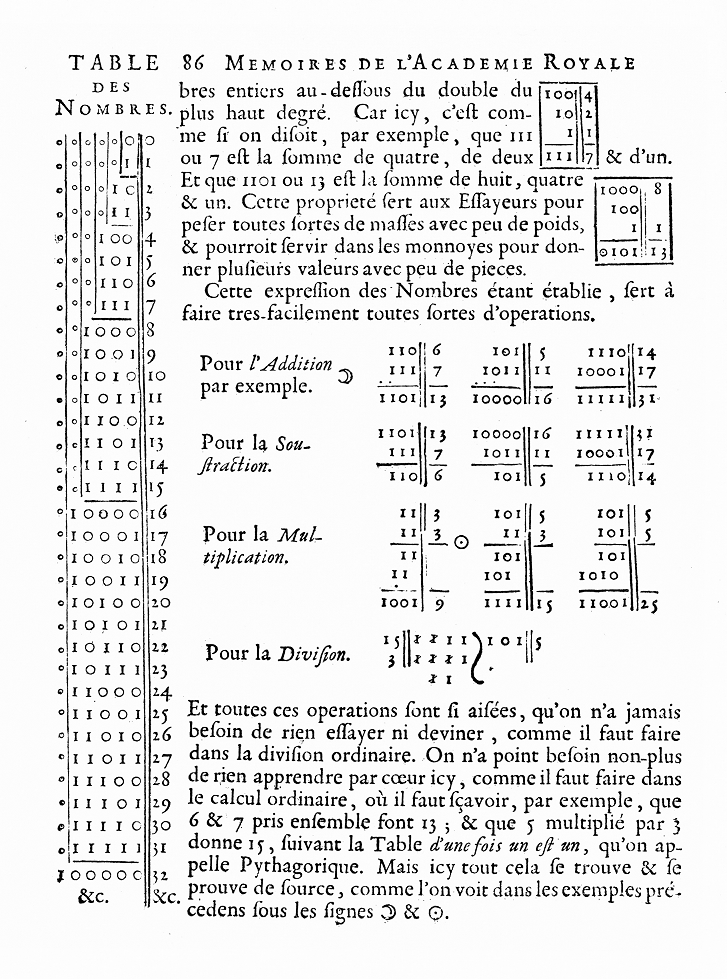
Binary was invented by many people, but the modern binary number system is credited to Gottfried Leibniz in 1679, a German mathematician. Binary has been used in nearly everything electronic; from calculators to supercomputers. Machine code is binary digits.
Binary to decimal
To convert a binary number to decimal, just add together the place values of every digit that’s a 1. For example, 10101 = 16 + 4 + 1 = 21.
Decimal to binary
To convert a decimal number to binary, you can repeatedly divide the number by 2 until you reach 0, writing down the remainder at each step. Then, put all the remainders in a row, from last to first. The resulting number will be your decimal number in binary.
For example, here’s 58 converted to binary. 58 / 2 = 29 remainder 0 29 / 2 = 14 remainder 1 14 / 2 = 7 remainder 0 7 / 2 = 3 remainder 1 3 / 2 = 1 remainder 1 1 / 2 = 0 remainder 1
Therefore, 58 in decimal is 111010 in binary.
Written for younger readers
Binary Numbers, in simpler words
This version comes from Wikijunior, a set of books written for children aged 8 to 11. It is shorter and uses plainer language than the article above.
From Wikijunior: How Things Work
Most people use ten different digits — 0 to 9 — to write numbers. For example, the numbers 15, 987630, 100, 99, and 6 are all made up of one or more of these ten digits.
This is called the decimal number system or base ten, which means that this number system has ten different digits to construct a number, as many as (most) people have fingers.
But computers are not built with the decimal number system. This is because computers are built with electronic circuits, each part of which can be either on or off. As there are only two options, they can only represent two different digits, 0 and 1. This is called the binary number system, or base two. (“Bi” means two.) All the numbers are constructed from the two digits 0 and 1. A digit in binary (that’s a 0 or a 1) is also called a bit – short for binary digit.
Computers use this number system to add, subtract, multiply, divide and do all their other math and data. They even save data in the form of bits.
A bit by itself can only mean zero or one, so to represent bigger numbers (and even represent letters) they group them together into chunks. Eight bits make a byte, and computers use as many bytes as they need to store what we need them to. Modern computers have many billions of bytes of storage.
This book will teach you how binary works, why computers use it, and how they use it.
In normal math, we don’t use binary. We were taught to use our normal number system. Binary is much easier to do math in than normal numbers because you only are using two number-symbols — 1 and 0 instead of ten number-symbols — 0, 1, 2, 3, 4, 5, 6, 7, 8, and 9.
Computers use binary because they can only read and store an on or off charge. So, using 0 as “off” and 1 as “on,” we can use numbers in electrical wiring. Think of it as this — if you had one color for every math symbol (0 to 9), you’d have ten colors. That’s a lot of colors to memorize, but you have done it anyway. If you were limited to only black and white, you’d only have two colors. It would be so much easier to memorize, but you would need to make a new way of writing down numbers. Binary is just that — a new way to record and use numbers.
In school, you were taught that we have ones, tens, and hundreds columns and so on. Each column is worth ten times the amount of the column to its right. This means that if the first column is worth 1, the second column is worth 10, and the third column is worth 100, and so on. To find the value of a digit in a certain column, you multiply the digit by the number that the column is worth. If you haven’t seen a model of the columns before, it looks like this:
So the decimal number 54,936 is equal to 5×10000 + 4×1000 + 9×100 + 3×10 + 6×1.
Binary also has columns, but each column is worth two times the amount of the column to its right. You still determine the value of digits in the same way, by multiplying the value of the bit (0 or 1) by the value of its column digit (128, 64, 32, etc.), as shown below:
So the binary number 10110101 = (1×128) + (1×32) + (1×16) + (1×4) + (1×1) = 181 in decimal.
The method above lets us read binary numbers, but how do we write them? One way is to write a list of all the numbers starting from one and working upwards. Just as adding 1 to 9 in decimal carries over to make 10, and 1 + 99 makes 100, in binary when you add one to one, you carry a one over to the next place on the left. Follow along with this table to see how that works.
You’ll notice that the values 1, 2, 4, 8, and 16 in binary only have a single one bit and some zero bits. If you go back up to the binary columns, you might notice that there is a column for each of these values. If you write the number in the columns, you would only need to write a 1 in the column that has the same value as the number you are writing. All of the other columns would have zeroes. Base ten works in the same way! When you write a base ten number that has the same value of one of the base ten columns, such as 100, you would only write a 1 in the column with a value equal to the number you’re writing. You would put a 0 in the other columns.
Have you noticed a pattern in writing binary numbers? Study the table for 1 to 16 again until you understand why in binary, in your own way.
Another pattern in writing decimal numbers in binary is that odd numbers will always have a 1 in the one’s place.
You’ve probably got lots of practice reading decimal but none yet reading binary, so it’s normal for reading binary to feel quite slow.
What do you do if you want to write a bigger number, like 86? You could use the list method shown above, but that would take a long time! A quicker method involves the columns:
- Find the column with the largest value that is still less than or equal to the number you’re writing and write a 1 in that column. For 86, you would write a 1 in the sixty-fours column because 64 is less than 86, but the next column to the left (128) is greater than 86.
- Look at the next column to the right of the one you used in the previous step. If you can add the value of that column to the value of the previous column and get a number less than or equal to the number you’re converting to binary, write a 1 there. If not, write a 0. In the example with 86, the value of the first column you used (64) plus the value of the next column to the right (32) equals 96. 96 is greater than 86, so you would write a 0 in the thirty-twos column.
- Find the next column to the right of the last one you wrote in. If adding the value of that column to the sum of the values of all the columns with a one in them would give you a number less than or equal to your number, write a 1 in that column. If not, write a 0. With 86, the next column would be the sixteens column. 16 plus the sum of the values of all the previous columns with ones in them (64 in this example) is 80. 80 is less than 86, so you would write a 1 in the sixteens column.
- Repeat step 3 until the sum of the values of the columns with ones in them is equal to the number you were trying to find. Once this happens, fill any remaining columns with zeros.
A table showing the full process with 86 can be seen below:
The binary number for 52 is 110100. How do you read a binary number?
- You look at the ones column. Since it has a 0 in it, you don’t add anything to the total.
- Then you look at the twos column. Nothing, so we move on to the next column.
- We have a 1 in the fours column, so we add 4 to the total (total is 4).
- Skipping the eights column since it has a 0, we have come to a 1 in the sixteens column. We add 16 to the total (total is 20).
- Last, we have a 1 in the thirty-twos column. We add this to our total (total is 52).
We’re done! We now have the number 52 as our total. The basics of reading a base-2 number is add each columns value to the total if there is a 1 in it. You don’t have to multiply like you do in base-10 to get the total (like the 5 in the tens column from the above base-10 example) because the only digits are 0 (Remember that 0 times anything equals 0.) and 1 (Remember that 1 times anything is always equal to the other number.) Not needing to multiply can help speed up your reading of base-2 numbers. Let’s look at 110100 in a table.
Now let’s look at another number.
The binary number is 1011, but we don’t know what it is. Let’s go through the column-reading process to find out what the number is.
- The ones column has a 1 in it, so we add 1 x 1 to the total (total is 1).
- The twos column has a 1 in it, so we add 1 x 2 to the total (total is 3).
- The fours column has a 0 in it, so we add 0 x 4 to the total (total is still 3).
- The eights column has a 1 in it, so we add 1 x 8 to the total (total is 11).
We are done, so the total is the answer. The answer is 11! Here are some more numbers for you to work out. { 101={ 5_2 }
{ 1111={ 15_2 }
{ 10001={ 17_2 }
{ 10100={ 20_2 }
{ 101000={ 40_2 }
Computers store everything in binary, including text. To do this, every letter, every punctuation character, in fact a very large number of the symbols people have ever used, has been given its own number in a system called Unicode.
For example, if your name is “George” then the computer can store that in binary just by storing the number for “G”, then for “e”, and so on. The most common symbols in American English, like letters without accents, can be stored with just one byte. Other symbols, like “£” and “¿”, need more than one byte as they’ve been given a bigger number. A few examples:
- G is stored as 71, which is “0100 0111” in binary
- e is stored as a hundred and one, which is “0110 0101” in binary.
The whole word “George” looks like: 0100 0111 0110 0101 0110 1111 0111 0010 0110 0111 0110 0101
While this might look like gibberish, see if you can find the rest of the letters in that and what their decimal representation is!
Where this page comes from
The article above is adapted from “Binary Numbers” on Simple English Wikipedia, by its contributors. We removed reference markers, navigation boxes and tables, expanded measurement templates into readable numbers, and kept the prose otherwise intact. The simpler version is adapted from Wikijunior on Wikibooks.
Both sources are published under CC BY-SA 4.0, so this page is published under the same licence. You may share and adapt it, including commercially, as long as you credit the original and keep the same licence.
Worksheets, answer keys and printable layouts elsewhere on K5Print are our own work and are not covered by this licence.