Hard Drive
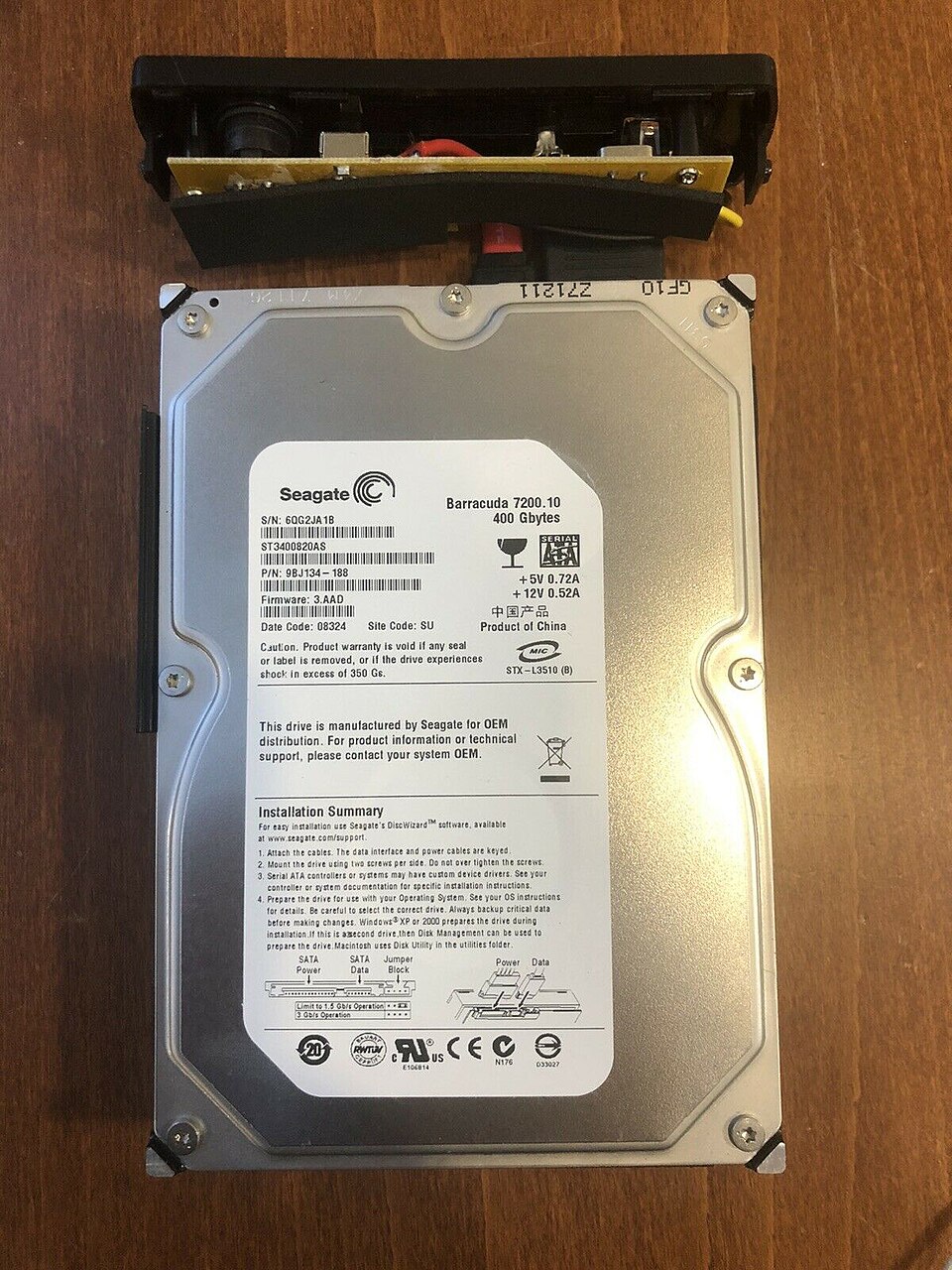

A hard disk drive (HDD), hard disk or hard drive, is a data storage device for computers which uses magnetic storage to store data. The capacity of a hard drive is usually measured in gigabytes (GB), however hard disk capacity can also be measured in terabytes when the capacity is over 1000 or 1024 gigabytes. A gigabyte is one thousand megabytes and a megabyte is one million bytes, which means that a gigabyte is one billion bytes. Some hard drives are so large that their capacity is measured in terabytes, (TB) where one terabyte is a thousand gigabytes (1 TB = 1000 or 1024 GB). As of 2025, hard drives most people can buy hard drives as big as 32 TB in size, but special hard drives used by businesses can be even bigger.
Different interfaces
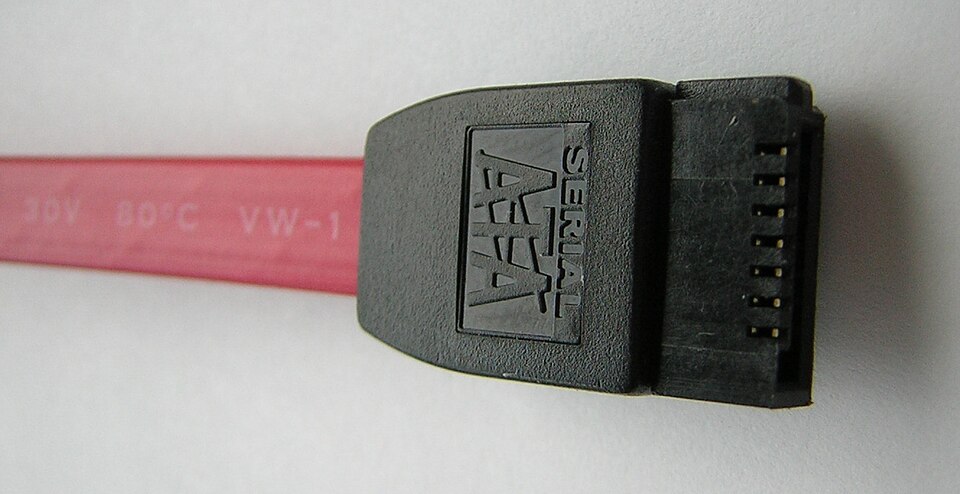
Over the years, there have been many disk interface types, though all used the same rotating platter recording technology. Differences were in how the data was encoded to binary, data integrity, data transfer speeds, cabling requirements, and cost. In 2009, it was common to attach a hard disk using a Serial ATA connection. The connection that came before that was called “IDE” and is called Parallel ATA today. In large data centers, Fibre Channel is often used.
For servers, the SCSI interface is very popular. There are several types and versions of SCSI interface, like parallel and Serial Attached SCSI, each stepping-up in terms of speed and price. Within servers, several SCSI drives are often used in conjunction with each other, in order to safeguard against data loss or corruption (this is known as RAID—and there are many configurations to choose from).
Components
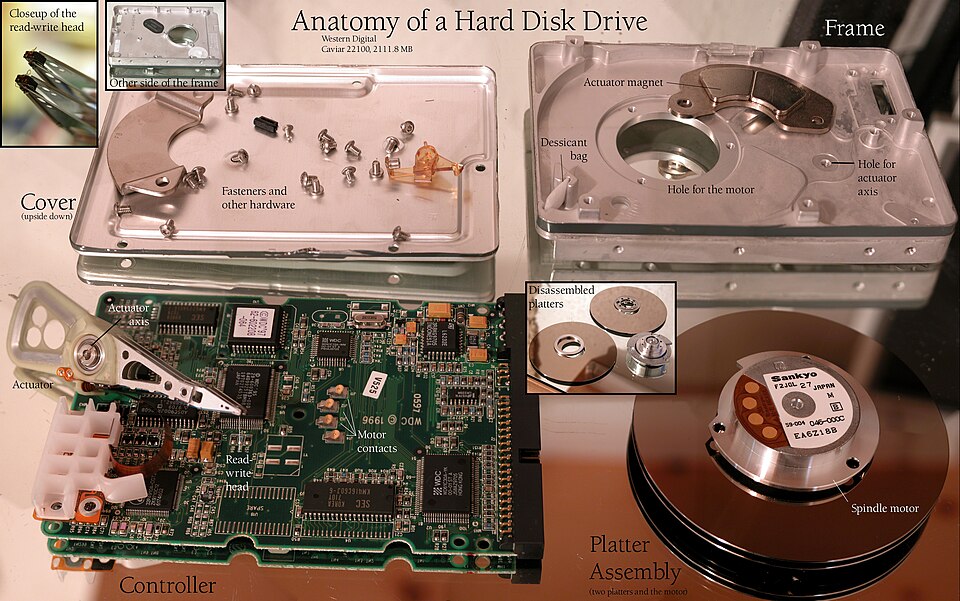
An HDD has a disk motor and an actuator motor that positions the read/write head. Wires from the actuator connect to the read/write head to amplifiers. They are bridged by the head support arm. In modern drives, acceleration at the head reaches 550 g, so a head support arm connects the actuator and the read/write head.
The actuator controls the read/write head and acts as a permanent magnet. A metal plate supports a squat neodymium-iron-boron (NIB) magnet. Beneath this plate is the voice coil, which is attached to the actuator hub. Beneath the actuator hub is a second NIB magnet, mounted on the bottom plate of the actuator.
The voice coil is shaped like an arrow. It is made up of a magnet with plastic insulation. This magnet interacts with the actuator magnet, causing the disk to move. If the magnetic field were uniform it would cancel out, but the surface magnet is divided between north and south poles in the middle, so force is produced instead of canceled out.
Hard Drive Corruption
There are several reasons behind the corruption of internal and external hard drive.
Virus & Malware Attack:- If a system is attacked by a virus, the important boot files stored in the internal hard disk may be deleted, leading to boot failure. Meanwhile, the crucial data and the complete partition may also be deleted by the virus or malware attack.
Due to Physical Damage:- It is also called hardware failure, and consists the following types: Overheating of hard drive, Read/write head crash, Cracked or poor-contact data line, Scratch on magnetic platters, Short circuit in the control circuit board and much more. The data lost due to these kinds of reasons can hardly be repaired. A user have no choice but to turn to expert for data recovery from hardware damaged hard drive.
Corruption of Boot Sector:- The boot sector is the first sector of the hard drive. This is used to load processor control and then move it to the Operating System. When, the boot sector is damaged, you will not be able to enter the system and access any data stored in the internal hard drive.
Damaged file system:- The file system is used by the Operating System to define the approach for organizing files on the storage device. To be particular, it is like a gateway to access data stored on hard drive partitions. If the file system on the internal hard drive is unluckily damaged somehow, the drive may become inaccessible and the system may fail to start.
Software Clash:- All kinds of applications you installed on your local machine currently may not able to be fully supportive with each other, so software clash occurs now and then to lead to sudden computer shutdown and cause internal hard drive corruption.
Click of Death
When a hard disk fails to read the data, the hard drive may start to click to indicate that it is damaged, or broken. This can happen if you drop the hard disk, or the hard disk is just too old. The hard drive makes a “click” sound when that happens.
The clicking sound itself arises from the unexpected movement of the disk’s read/write actuator. At start-up, and during use, the disk head must move correctly and confirm it is correctly tracking data on the disk. If the head cannot do this, the disk controller may attempt to recover by retrying. This may cause an audible “click”. In some devices, the process automatically retries, causing a repeated or rhythmic clicking sound, sometimes accompanied by the whirring sound of the drive plate spinning. In this case, when this happens, you might not be able to recover data on the hard disk without special data recovery services. However, there are reports that the hard drive may work again if you put it in the freezer overnight.
Rotation speed
The platters in HDDs are spun at speeds varying from 4200 rpm in older portable devices designed for energy efficient operation, to 15000 rpm for high-performance servers (not for consumer use). The first HDDs spun at 1200 rpm and, for many years, 3600 rpm was the norm until the early 90s. However, in terms of performance per Watt then 7200 rpm hard drives are the most energy efficient per gb of data transferred using not a substantial increase of energy than 5400rpm hdds. 4200rpm hdds are less efficient in terms of performance per Watt over 5400 rpm hdds which are better for larger file reads/writes due to it simply writing the files for a shorter time. 4200rpm is generally less efficient than 5400rpm for most tasks. 5400rpm is better performing offering much better efficiency per Watt, though 7200rpm drives only use slightly more power than 5400rpm making them slightly less efficient especially when idle.
As for higher rpms (10000/15000rpm) they are faster but use significantly more power than 7200rpm drive offering the best balance of speed and power efficiency. Above 7200rpm, efficiency of performance per Watt decreases, especially with 15k rpm drives. So 7200rpm is most efficient followed by 5400, probably 4200 then 10000 and finally least efficient and mostly phased out 15000 rpm. 15k rpm doesn’t offer much performance gains compared to 7200 and 10000rpm. 4200rpm isn’t produced anymore due to performance concerns, while higher rpms are rare and only used in enterprise use but are mostly phased out because of falling SSD prices. 3600rpm is obsolete and the last drives with this rpm were made in the early/mid 90s. 10000rpm was a rare exception for WDs raptor drives which were 10k rpm sata drives marketed for both enterprise and consumer use. 15k rpm is only for enterprise hard drives. 4200rpm more common in older devices.
Written for younger readers
Hard Drive, in simpler words
This version comes from Wikijunior, a set of books written for children aged 8 to 11. It is shorter and uses plainer language than the article above.
From Wikijunior: How Things Work
Hard disks were first invented in the 1950s and were initially called fixed disks or ‘Winchesters’ (the name of a popular IBM offering introduced in 1972.) The first magnetic hard disc for storage was the IBM 305 RAMAC which appeared in 1956. RAMAC (Random Access Method of Accounting and Control) quickly became the industry standard. For years hard drives were confined to mainframes and servers.
The hard disk gets its power from one of the variable electrical output leads of the SMPS (switch mode power supply) of the computer.
First take a close look at the hard drive image here. This will give you a great idea of how each part is working together inside a hard drive.
Imagine a bunch of bar magnets all in a row, with the ends sticking towards you. Imagine that the first one has the north side sticking up, then the next 2 have south sticking up, and then 5 have north sticking up again. If you place a bunch of magnets together like this, you can start creating a code. A code created out of only north and south signals. In fact, computers are based on a very simple code based on only 0s and 1s called binary. North and South can be translated into 0 and 1 very easily.
A hard disk turns this line of magnets into a disk. Imagine spinning the long line of magnets like a thread around, like rolling up a piece of paper. To read the hard disk, all you have to do is spin the disk, and place another very small detection magnet close to it. The detection magnet is called a magneto-resistive read sensor. From the pattern of north and south, you can translate the code from “North and South” into everything on a computer.
The hard disk is also able to flip the magnets any time, so it can turn a magnet from “north” into “south” very easily. This allows it to not only read the disk, but write to it. Basically, it can change the “code” of north-south any time the computer wants it to.
When computers do this, they spin the disk very fast. They can read the code millions of times a second. Much work has been done to help make the disk spin faster and faster.
Not very dangerous unless you open one up while attached to a power supply. A big mistake!
It is a mass storage device which can be used to store operating systems and a number of pieces of software. It is one of the main components of Desktop and Laptop computers. One hard disk can be partitioned to create a number of different virtual disks. Each such virtual disk can store (and work) a different operating system. The newer hard disks are much smaller than the original ones, but can store much much more than their ancestors. Not forgetting about their speeds. The newer hard disks can fetch data (stored in them) at the wink of an eye…. sometimes even faster.
Not that many hard drives vary, except for the amount of data that they hold. There are different types of hard drives, like external hard drives and internal hard drives. Some types of hard drives are explained below.
These types of drives are also known as Integrated Drive Electronics (IDE) and Enhanced Integrated Drive Electronics (EIDE) drives. These hard drives are very slow.
SATA drives are more efficient, and use less power than PATA drives. They are also faster than the PATA drives.
These hard disks, unlike the other types, don’t consist of moving components. The other hard drives explained above comprise of a spinning magnetic disk that performs the function of storing data , but SSDs use semi-conductors for this purpose. Since there are no moving components, these hard disks are much faster than the other drives.
Hard drives enable computers and other electronic devices such as MP3 players to store massive amounts of information for use later.
Hard drives have allowed computer programmers to build enormously complex programs and store them for use on computers. Complex programs such as the one you are using to read this would not have been available prior to the introduction of hard drives.
Before hard drives were used in computers, popular storage mediums included cardboard cards, paper tape (with holes punched in it), magnetic tape, and magnetic tape formed into disks called floppy disks.
As computer programs have increased in size, hard drives have had to also increase in size to store the data.
- The computer
- Magnetic data storage
Where this page comes from
The article above is adapted from “Hard Drive” on Simple English Wikipedia, by its contributors. We removed reference markers, navigation boxes and tables, expanded measurement templates into readable numbers, and kept the prose otherwise intact. The simpler version is adapted from Wikijunior on Wikibooks.
Both sources are published under CC BY-SA 4.0, so this page is published under the same licence. You may share and adapt it, including commercially, as long as you credit the original and keep the same licence.
Worksheets, answer keys and printable layouts elsewhere on K5Print are our own work and are not covered by this licence.